
diff options
| author | Gertjan van den Burg <gertjanvandenburg@gmail.com> | 2020-04-04 23:20:50 +0100 |
|---|---|---|
| committer | Gertjan van den Burg <gertjanvandenburg@gmail.com> | 2020-04-04 23:20:50 +0100 |
| commit | c4ff7ee4533e13c0d81a138955d1f7dfe724c2ff (patch) | |
| tree | 0d858fa54f739dd00b7dd3e9098b452d755578aa /README.md | |
| parent | Merge branch 'feature/excepthook' (diff) | |
| download | paper2remarkable-c4ff7ee4533e13c0d81a138955d1f7dfe724c2ff.tar.gz paper2remarkable-c4ff7ee4533e13c0d81a138955d1f7dfe724c2ff.zip | |
Bump version and update changelog and readme
Diffstat (limited to 'README.md')
| -rw-r--r-- | README.md | 77 |
1 files changed, 44 insertions, 33 deletions
@@ -18,7 +18,8 @@ $ p2r https://hbr.org/2019/11/getting-your-team-to-do-more-than-meet-deadlines The script can be run through the ``p2r`` command line program or via Docker (see below). If you're using MacOS, you might be interested in the [Alfred -workflow](#alfred). +workflow](#alfred). On Linux, a background terminal such as +[Guake](http://guake-project.org/) can be very handy. ``paper2remarkable`` makes it as easy as possible to get a PDF on your reMarkable from any of the following sources: @@ -44,7 +45,7 @@ let me know! ``paper2remarkable`` takes the source URL and: -1. Downloads the pdf if necessary +1. Downloads the pdf 2. Removes the arXiv timestamp (for arXiv sources) 3. Crops the pdf to remove unnecessary borders 4. Shrinks the pdf file to reduce the filesize @@ -67,10 +68,10 @@ Here's the full help of the script: ```text usage: p2r [-h] [-b] [-c] [-d] [-n] [-p REMARKABLE_DIR] [-r] [-k] [-v] [-V] [--filename FILENAME] [--gs GS] [--pdftoppm PDFTOPPM] - [--pdftk PDFTK] [--rmapi RMAPI] + [--pdftk PDFTK] [--qpdf QPDF] [--rmapi RMAPI] input -Paper2reMarkable version 0.5.4 +Paper2reMarkable version 0.6.0 positional arguments: input URL to a paper or the path of a local PDF file @@ -93,6 +94,7 @@ optional arguments: --gs GS path to gs executable (default: gs) --pdftoppm PDFTOPPM path to pdftoppm executable (default: pdftoppm) --pdftk PDFTK path to pdftk executable (default: pdftk) + --qpdf QPDF path to qpdf executable (default: qpdf) --rmapi RMAPI path to rmapi executable (default: rmapi) ``` @@ -119,40 +121,48 @@ $ p2r -v https://arxiv.org/abs/1811.11242 The script requires the following external programs to be available: -- [pdftk](https://www.pdflabs.com/tools/pdftk-the-pdf-toolkit/), or - ``pdftk-java``, whichever your package manager provides. +- [pdftk](https://www.pdflabs.com/tools/pdftk-the-pdf-toolkit/), + [qpdf](http://qpdf.sourceforge.net/), or + [pdftk-java](https://gitlab.com/pdftk-java/pdftk), whichever your package + manager provides. - [GhostScript](https://www.ghostscript.com/) -- [pdftoppm](https://linux.die.net/man/1/pdftoppm) Optional, but recommended - for speed. Usually part of a [Poppler](https://poppler.freedesktop.org/) - installation. - [rMAPI](https://github.com/juruen/rmapi) +- Optional: [pdftoppm](https://linux.die.net/man/1/pdftoppm) (recommended for + speed). Usually part of a [Poppler](https://poppler.freedesktop.org/) + installation. -On Arch, use ``pacman -S pdftk ghostscript poppler``, on Ubuntu try ``apt-get -install pdftk ghostscript poppler-utils``, and on Mac: ``brew install -pdftk-java ghostscript poppler``. For -[rMAPI](https://github.com/juruen/rmapi), use ``go get -u -github.com/juruen/rmapi``. - -If these scripts are not available on the ``PATH`` variable, you can supply -them with the relevant options to the script. Then, you can install -``paper2remarkable`` from PyPI: - -``` -pip install paper2remarkable -``` - -This installs the ``p2r`` command line program. +Specifically: + +1. First install [rMAPI](https://github.com/juruen/rmapi), using + ``` + $ go get -u github.com/juruen/rmapi + ``` +2. Then install system dependencies: + - **Arch Linux:** ``pacman -S pdftk ghostscript poppler`` + - **Ubuntu:** ``apt-get install pdftk ghostscript poppler-utils``. Replace + ``pdftk`` with ``qpdf`` if your distribution doesn't package ``pdftk``. + - **MacOs:** ``brew install pdftk-java ghostscript poppler`` (using [HomeBrew](https://brew.sh/)). +3. Finally, install ``paper2remarkable``: + ``` + $ pip install paper2remarkable + ``` + this installs the ``p2r`` command line program. + +If any of the dependencies are not available on the ``PATH`` variable, you can +supply them with the relevant options to the script (for instance ``p2r +--rmapi /path/to/rmapi``). If you run into trouble with the installation, +please let me know! ## Alfred -Install the [Alfred workflow][workflow], which is [a launcher for -MacOS](https://www.alfredapp.com/). +On MacOS, you can optionally install [this Alfred workflow][workflow]. Alfred +is [a launcher for MacOS](https://www.alfredapp.com/). -Once installed, you can use `rm` command and `rmb` (for the `--blank` pages to -insert blank pages between pages for notes) with a URL passed. The global -shortcut `Alt-P` will send the current selection to `p2r`. Note that by default -`--right` is passed and `p2r` is executed in your `bash` environment. You can -edit the Workflow in Alfred if this doesn't work for your setup. +Once installed, you can then use `rm` command and `rmb` (for the `--blank` +pages to insert blank pages between pages for notes) with a URL passed. The +global shortcut `Alt-P` will send the current selection to `p2r`. Note that by +default `--right` is passed and `p2r` is executed in your `bash` environment. +You can edit the Workflow in Alfred if this doesn't work for your setup. 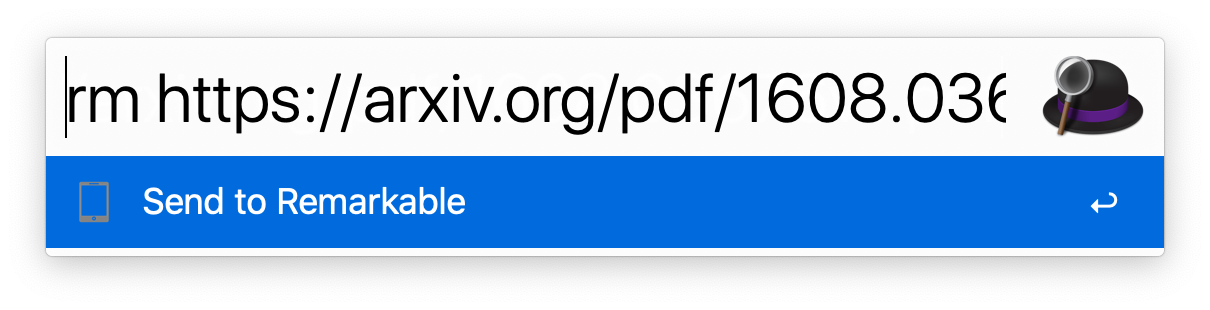 @@ -160,8 +170,9 @@ edit the Workflow in Alfred if this doesn't work for your setup. ## Docker -You can also use the Dockerfile to avoid installing dependencies on your -machine. You will need `git` and `docker` installed. +If you'd like to avoid installing the dependencies directly on your machine, +you can use the Dockerfile. To make this work you will need ``git`` and +``docker`` installed. First clone this repository with `git clone` and `cd` inside of it, then build the container: |