
diff options
| author | Simon Eskildsen <sirup@sirupsen.com> | 2020-02-23 14:08:52 -0500 |
|---|---|---|
| committer | Simon Eskildsen <sirup@sirupsen.com> | 2020-02-24 07:14:12 -0500 |
| commit | 2dd984eb80bff1a6828a197e9d225c4676e1d432 (patch) | |
| tree | 5525cbd4f6415ac41ab2cea9832871ec33cd948c /README.md | |
| parent | Merge pdf cropping functions (diff) | |
| download | paper2remarkable-2dd984eb80bff1a6828a197e9d225c4676e1d432.tar.gz paper2remarkable-2dd984eb80bff1a6828a197e9d225c4676e1d432.zip | |
alfred: add alfred workflow
Diffstat (limited to 'README.md')
| -rw-r--r-- | README.md | 20 |
1 files changed, 18 insertions, 2 deletions
@@ -16,8 +16,9 @@ There is also support for transferring an article from a website: $ p2r https://hbr.org/2019/11/getting-your-team-to-do-more-than-meet-deadlines ``` -The script can be run through the ``p2r`` command line program or via Docker -(see below). +The script can be run through the ``p2r`` command line program or via Docker +(see below). If you're using MacOS, you might be interested in the [Alfred +workflow](#alfred). ``paper2remarkable`` makes it as easy as possible to get a PDF on your reMarkable from any of the following sources: @@ -134,6 +135,21 @@ pip install paper2remarkable This installs the ``p2r`` command line program. +## Alfred + +Install the [Alfred workflow][workflow], which is [a launcher for +MacOS](https://www.alfredapp.com/). + +Once installed, you can use `rm` command and `rmb` (for the `--blank` pages to +insert blank pages between pages for notes) with a URL passed. The global +shortcut `Alt-P` will send the current selection to `p2r`. Note that by default +`--right` is passed and `p2r` is executed in your `bash` environment. You can +edit the Workflow in Alfred if this doesn't work for your setup. + +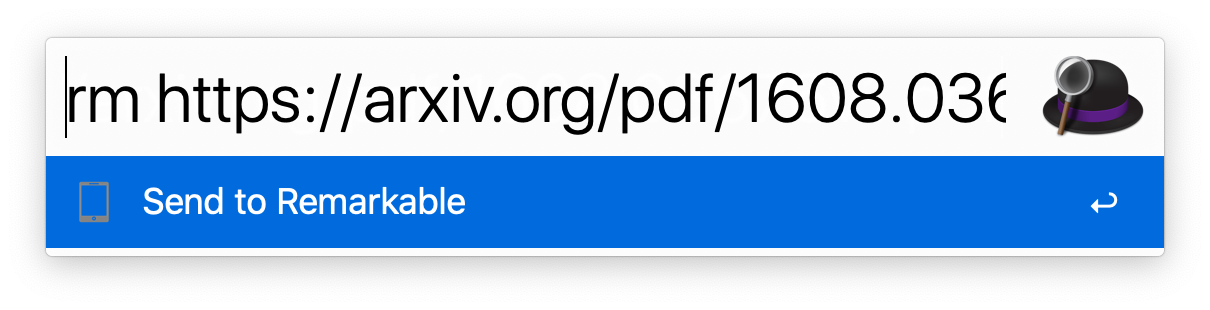 + +[workflow]: https://github.com/GjjvdBurg/paper2remarkable/blob/master/Remarkable.alfredworkflow?raw=true + ## Docker You can also use the Dockerfile to avoid installing dependencies on your |